
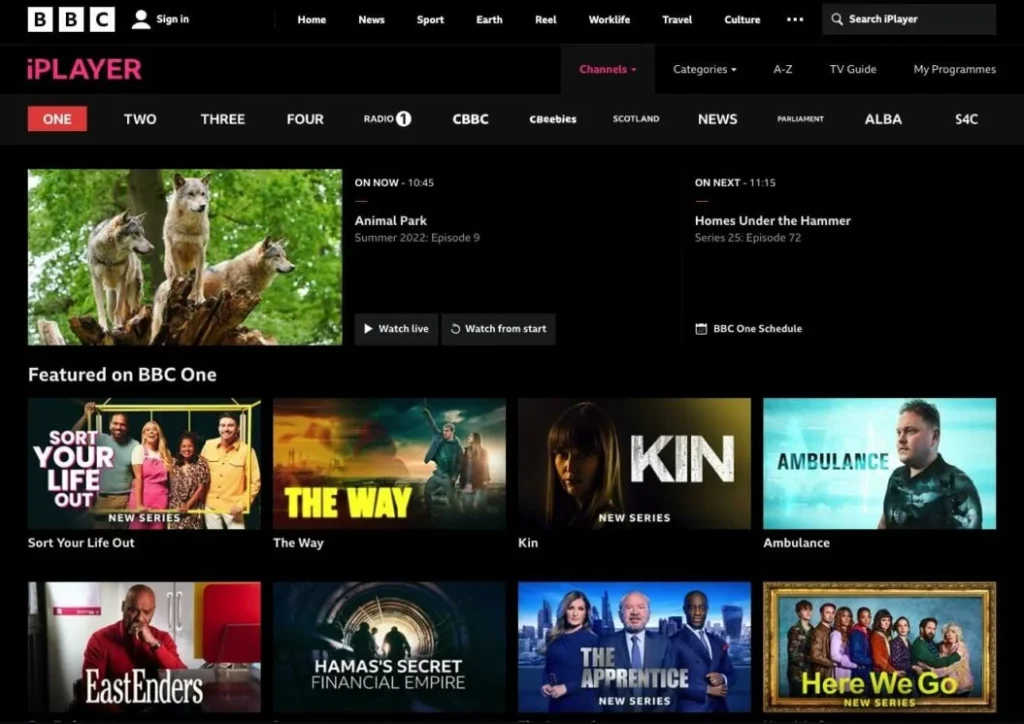
Understanding IPTV Buffering
IPTV, or Internet Protocol Television, delivers television programming over the Internet instead of traditional terrestrial, satellite, or cable formats. This method of delivering content allows for on-demand access to a wide variety of channels and shows. However, one frequent issue users encounter is “buffering,” which refers to interruptions during video playback where the content pauses to load. Buffering can significantly impair the viewing experience, leading to frustration among users. PRICE
Buffering occurs for several reasons, all inherently linked to the technical aspects of IPTV. One of the most common causes is network congestion. When multiple users access the same network, bandwidth can become strained, resulting in insufficient speeds for seamless video playback. Additionally, when the internet connection is weak or experiencing fluctuations, the result can be intermittent buffering. A slow internet connection, generally defined as anything below 3 Mbps for standard content, can also exacerbate this problem.
Other causes for buffering may relate to specific issues within the IPTV service itself, such as server overloads or maintenance periods. If a server hosting a particular IPTV stream is overwhelmed with requests, users may experience lag and pause as the stream buffers. Furthermore, the quality of the streaming device can influence the occurrence of buffering. Older devices may not efficiently decode or render high-definition streams, leading to interruptions.
In summary, understanding IPTV buffering involves recognizing its causes, ranging from network limitations to service provider issues. By identifying these factors, users can take proactive steps to remedy buffering situations, ensuring a smoother and more enjoyable viewing experience.
Checking Your Internet Speed
When it comes to IPTV streaming, having a fast and stable internet connection is vital for a seamless viewing experience. An inadequate internet speed can lead to interruptions, buffering, and poor streaming quality, significantly affecting your enjoyment of the content. To ensure a smooth IPTV experience, it is essential to understand your current internet speed and how it impacts the quality of the streaming service.
To check your internet speed, you can utilize various online tools such as Ookla’s Speedtest, Fast.com, or Google’s built-in speed test. These platforms allow you to measure your download and upload speeds, along with your ping. Generally, for optimal IPTV performance, a minimum download speed of 25 Mbps is recommended for streaming in HD (1080p). For 4K content, it is advisable to have at least 50 Mbps to ensure a buffer-free experience.
It is important to note that internet speeds can fluctuate due to various factors, including network congestion, router capabilities, and the number of devices connected to your network. If you find that your speeds are consistently below the required thresholds, it may be beneficial to contact your internet service provider (ISP) for assistance. Additionally, consider connecting your streaming device directly to your router using an Ethernet cable, as this can improve connectivity and reduce latency compared to a wireless connection.
In summary, checking your internet speed is a crucial step in ensuring high-quality IPTV streaming. Knowing your current speed and the minimum requirements for different resolutions helps identify potential issues that may affect your viewing experience. Therefore, prioritizing a fast and reliable internet connection is essential for optimal IPTV performance. FAQ
Wired vs. Wireless Connections
When considering IPTV performance, both wired and wireless connections have their unique characteristics that can significantly influence streaming quality. A wired connection utilizes Ethernet cables to connect devices directly to the router, often resulting in a stable and reliable internet connection. This method is less susceptible to interference and typically offers higher speeds compared to its wireless counterpart.
One of the primary advantages of wired connections is the minimal latency and buffering, which is crucial for a seamless IPTV viewing experience. Additionally, a wired network generally ensures consistent bandwidth availability since the connection is not shared as frequently as in wireless scenarios. However, the limitations of wired connections are their lack of mobility and the need for cabling, which may not be feasible in every home configuration.
On the other hand, wireless connections have the significant advantage of flexibility, allowing users to place devices at various locations without being constrained by wire lengths. Modern Wi-Fi technology, including Wi-Fi 6, offers improved speeds and reduced congestion, making it increasingly suitable for streaming services. Nevertheless, wireless connections tend to face challenges such as signal interference, range limitations, and fluctuations in speed during peak usage times.
For users relying on IPTV services, it is vital to assess environmental factors when choosing between wired and wireless connections. In scenarios where devices are in close proximity to the router, a wireless connection could suffice. However, for high-definition streaming or multiple concurrent streams, a wired Ethernet connection is recommended for optimal performance. Furthermore, deploying a combination of both may be advantageous in specific setups. Ultimately, understanding the strengths and weaknesses of each connection type is essential in optimizing IPTV streaming quality.
Optimizing Wi-Fi Settings
To enhance the performance of your IPTV streaming through Televizo, it is crucial to optimize your Wi-Fi settings. A seamless streaming experience heavily relies on stable internet connectivity, which can be significantly affected by poor Wi-Fi configurations.
One of the first steps to consider is selecting the best Wi-Fi channel. Most modern routers operate on either the 2.4GHz or 5GHz bands. The 2.4GHz band is widely used, which may lead to congestion. By using a Wi-Fi analyzer app, you can identify the least crowded channels. Switching your router to the optimal channel can help reduce interference and improve signal strength, which is important for smooth IPTV streaming.
Next, consider changing the router’s bandwidth settings. Routers often provide options to alter channel widths, typically found under advanced settings. Using a wider channel (40MHz on 2.4GHz or 80MHz on 5GHz) can enhance your maximum transmission speeds, but may also increase interference. Balancing these settings based on your specific environment will be crucial for maximizing performance, particularly when streaming high-definition content via IPTV.
The physical placement of your router plays a vital role in coverage. Ensure that your router is positioned in a central location, ideally elevated and out in the open, to minimize obstructions and maximize signal distribution. Avoid placing the router near walls, metal objects, or electronic devices that might cause interference. Aiming the antennas in different orientations can further enhance signal reach.
By focusing on these optimizations, you can significantly improve your IPTV streaming experience on Televizo, minimizing buffering and ensuring that your viewing is as uninterrupted as possible.
Reducing Network Congestion
Network congestion is a significant contributor to buffering issues, particularly when streaming content through services like Televizo IPTV. A common strategy to combat this problem is to limit the number of connected devices during peak usage times. Each additional device sharing the same internet connection consumes bandwidth, resulting in slower speeds for everyone. For optimal streaming, it is advisable to disconnect any unnecessary devices when using IPTV. This practice not only ensures a smoother viewing experience but also allocates more bandwidth to the streaming device.
In addition to limiting connected devices, scheduling heavy downloads and uploads for off-peak hours is another effective method to minimize network congestion. Many households engage in multiple data-heavy activities, such as software updates or large file transfers, which can coincide with streaming times. By setting these activities to occur when the network is less utilized—such as overnight or during work hours—you can enhance the performance of your IPTV service significantly.
Furthermore, configuring Quality of Service (QoS) settings on your router can have a profound impact on the efficiency of your network. QoS allows you to prioritize traffic based on the type of data being transmitted. By assigning higher priority to IPTV streaming traffic, your router can ensure that the necessary bandwidth is available, reducing lag and buffering. This optimization is especially useful in environments where multiple users are engaged in various online activities simultaneously.
In conclusion, addressing network congestion through the mindful management of connected devices, scheduling downloads for off-peak times, and prioritizing IPTV traffic via QoS settings can significantly enhance the streaming experience. Adopting these measures will facilitate smoother streaming and minimize buffering interruptions while using Televizo IPTV. About Televizo IPTV – Premium IPTV Subscription Service
Using a VPN to Improve Streaming
A Virtual Private Network (VPN) can significantly enhance the quality of IPTV streaming for users facing buffering issues. By encrypting internet traffic and routing it through a different server, a VPN can sometimes improve streaming performance by optimizing the connection route and bypassing network congestion. This is particularly notable for users experiencing throttling, where their Internet Service Provider (ISP) intentionally reduces bandwidth for streaming services.
When connected to a VPN, users may find that their IPTV service buffers less frequently or operates more smoothly. This improvement is generally attributed to the VPN’s ability to mask user traffic, which can prevent ISPs from throttling unnecessary bandwidth during peak usage times. By selecting a VPN server located closer to the IPTV service’s data server, users can sometimes achieve lower latency and reduced buffering.
However, there are potential drawbacks to using a VPN for IPTV streaming. While some VPN services boast high speeds and unlimited data, others may not perform optimally, especially if they have numerous users connected at the same time. Additionally, the geographical location of the VPN server can affect streaming performance; connecting to a distant server might lead to slower speeds and further buffering. Therefore, it is crucial for users to choose a reputable VPN provider that offers servers optimized for streaming and has a solid track record in providing consistent speeds.
It is also essential to remember that not all VPNs play well with streaming services. Some IPTV providers actively block VPN traffic, which can limit access to the necessary content. Hence, users must research compatible VPN options that can bypass such restrictions effectively while ensuring optimal performance. Carefully balancing these factors will lead to an enhanced streaming experience through IPTV, minimizing buffering and maximizing enjoyment.
Restarting and Updating Your Devices
For users experiencing IPTV buffering issues, one fundamental step often overlooked is the regular restarting and updating of their devices. This encompasses a variety of equipment including set-top boxes, smart TVs, and routers. Each of these devices plays a critical role in ensuring a seamless streaming experience. Over time, devices can accumulate data or run into operational glitches that impede their performance. Restarting these devices can refresh their systems, clearing cached data and resolving minor bugs that may contribute to buffering problems.
Moreover, updating your devices is equally important for maintaining optimal performance. Software updates often come with patches and enhancements that can substantially improve device functionality. Manufacturers regularly release updates that not only fix existing bugs but also introduce new features and improve compatibility with streaming services. Regularly checking for updates on your IPTV streaming devices is essential to ensuring that they operate efficiently. For example, set-top boxes may require firmware updates, while smart TVs might need app updates or system enhancements.
Furthermore, router updates should not be neglected. Routers manage network traffic and can be a bottleneck in streaming performance. Ensuring your router has the latest firmware is crucial for enhancing stability and speed. Networking issues often lead to buffering during video playback, and a properly updated router can significantly mitigate these concerns.
In summary, regularly restarting and keeping your devices updated is a straightforward yet effective approach to combating IPTV buffering. By taking these essential steps, users can enjoy improved performance, enhanced stability, and a more satisfying streaming experience overall.
Adjusting Streaming Quality
Buffering can significantly affect your viewing experience when streaming content via an IPTV service. One effective method to mitigate this issue is by adjusting the streaming quality settings within your IPTV application. By lowering the video quality, users can often achieve smoother playback and reduce buffering occurrences, especially on limited bandwidth connections.
To adjust the streaming quality settings, follow these steps: First, open your IPTV application and navigate to the settings menu. This is typically represented by a gear or wrench icon located in the top right corner of the application interface. Once in the settings menu, locate the “Streaming Quality” option. Depending on your IPTV provider, you may see options such as HD, SD, and even lower settings like 480p or 360p.
Choosing a lower resolution, such as SD (Standard Definition) or 480p, can substantially reduce the amount of data required for streaming, which may alleviate buffering issues while watching live channels or on-demand content. Keep in mind that the lower the quality, the less detail you will see in the picture. Users with slower internet speeds or unstable connections will generally benefit more from lower settings, while fiber optic or high-speed broadband users may opt for higher quality without experiencing interruptions.
It is beneficial to experiment with various quality levels to find the optimal setting for your connection. While lowering the streaming quality can enhance immediate playback performance, there is a trade-off in terms of visual clarity. As you adjust these parameters, consider the capabilities of your home network and device to determine what works best. This method is a straightforward and efficient solution to your IPTV buffering issues, ensuring a more enjoyable viewing experience overall.
Contacting Your IPTV Provider
If you have exhausted all potential internal solutions for resolving buffering issues with your Televizo IPTV service, it may be time to reach out to your IPTV provider for assistance. Often, service-related problems can be intricately linked to the provider’s infrastructure, and customer support is equipped to tackle such concerns. Before making contact, it is advisable to gather pertinent information that will facilitate an effective dialogue with the support team.
When contacting your IPTV provider, start by documenting any relevant details regarding the issues you are facing. Have a clear description of the buffering problems, including when they occur and the specific channels or services impacted. If possible, note the frequency and duration of the buffering instances. This information can help the support team to diagnose the underlying issue more efficiently. Additionally, providing them with information about the device you are using, its specifications, and the network environment can be advantageous. https://wa.me/447916696718
Another critical element is to check whether the problem is persistent across all devices or isolated to a specific one. This detail can significantly influence troubleshooting steps and whether the problem lies with the device, network, or the service itself. Once armed with this information, you can proceed to contact your IPTV provider’s customer support, either via phone, email, or through a support ticket on their website.
In many cases, the IPTV provider may be able to identify network congestion issues, server outages, or other technical failures affecting the quality of service. They may also provide information on ongoing maintenance work that may impact their service. Consulting with your IPTV provider is often a decisive step in addressing persistent buffering problems, ensuring you receive optimal service and a smooth streaming experience.